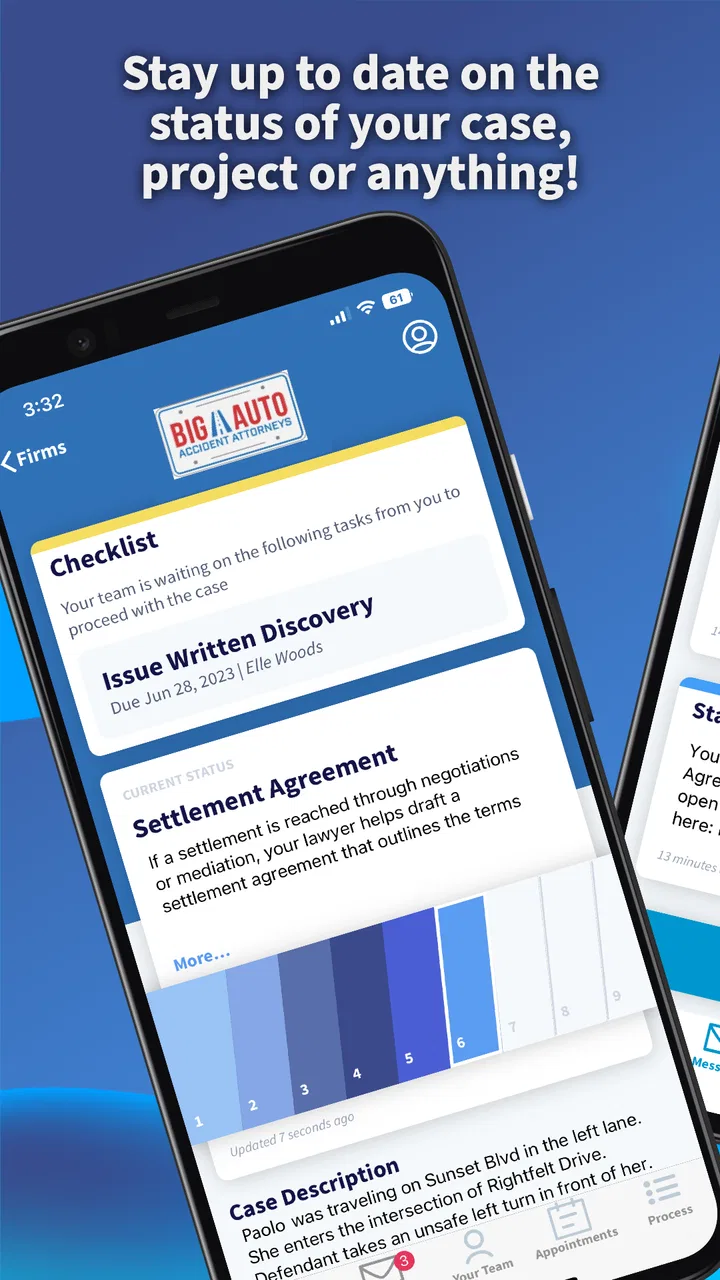
Case Status
- 4.9
- Rating
- 500.00K
- Installs
- Free
- Price

 Analysis by App-foxy
Keeping track of a legal case can be stressful, especially when every update seems to depend on a phone call, an email, or a message from someone else. Case Status is a communication app from Case Status, Inc that gives people a more direct way to stay informed about the status of their legal case. I found its purpose easy to understand: it is not trying to replace a lawyer, explain every legal option, or turn complicated proceedings into casual notifications. Its job is to make case updates easier to follow.
That focused approach is the main reason I would recommend it to someone who already works with a legal professional using the service. The app is free, rated for Everyone, and available for Android devices running version 6.0 or later. It has been available since October 13, 2017, and the current release is 2.6.37. With an average rating of 4.8 from around 23 thousand ratings and more than 500 thousand installs, it is clearly being used by a substantial group of people rather than serving only as a niche experiment.
What to expect before you begin
The first thing to understand is what Case Status is—and what it is not. I see it as a shared communication point for case-related progress. It can be useful when you want a clearer view of where things stand, but it should not be treated as an independent legal adviser. If you need an interpretation of a settlement, a deadline, a court document, or your legal rights, you still need to speak with the appropriate professional.
You May Also Like

 Blood Strike: 2.5 Anniversary
Blood Strike’s Loadouts Turn Every Drop Into a Tactical Gamble
A close look at Blood Strike’s custom loadouts: how fast access to signature weapons reshapes its battle royale rhythm, rewards preparation, and narrows the gap between fights.

 Pandora - Music & Podcasts
Pandora’s Music Is Easy to Start, but Harder to Recover
Pandora’s strength is its low-effort path from a seed to a station. Its weak spot is how much confidence it asks you to place in connection, setup, and quiet recovery.

 8 Ball Pool
 Is Built on Rivalries, Rematches, and Routine
A close look at the rivalries, rematches, shared routines, and unanswered safety questions that turn a quick pool match into a persistent mobile community.

 Samsung Music
’s Quiet Strength Is Playing What You Already Own
Its reach comes less from spectacle than from dependable access to a personal library. That simplicity is both the app’s strongest retention engine and its ceiling.

 AccuWeather: Weather Radar
AccuWeather Review: A Quick, Clear Forecast for Everyday Decisions
For everyday plans, the best forecast is the one you can understand quickly. AccuWeather makes rain timing, radar, and local conditions easy to act on, with a few trade-offs.

 Hill Climb Racing
Why Hill Climb Racing Still Turns Crashes Into One More Run
A tiny car, a bumpy hill and one more upgrade: Hill Climb Racing keeps resurfacing because its simple chaos makes every near-miss feel personal.
More From Our News Desk



That distinction matters because an app that reports a change in status does not automatically explain the full meaning behind it. A short update may be enough to tell you that something happened, while the next practical decision may require context from your attorney or case team. I would therefore use Case Status as a case communication tool, not as a substitute for legal guidance.
For a first-time user, the most reassuring part is the narrow purpose. You are not installing a general-purpose social network or a complicated document-management suite. You are looking for updates connected to a legal matter. The experience makes the most sense when your lawyer or legal office has already told you that Case Status is part of the communication process.
This also explains an important limitation: installing the app by itself does not guarantee that it will immediately show a meaningful case. The useful information depends on the connection between you and the legal team handling your matter. If you downloaded it without receiving instructions from that team, you may not know what account details or invitation process applies to you. In that situation, contacting the office is more productive than repeatedly trying random sign-in details.
The app is a good fit for people who dislike chasing updates through scattered conversations. It can also help family members or clients who want to check progress at a convenient moment instead of calling during office hours. On the other hand, it is less suitable for someone looking for legal research, a place to compare attorneys, or a private notebook for writing a complete case history.
How the app fits into everyday communication
Imagine that you are waiting for movement in a case while managing work, children, or appointments. You receive a notification or notice that the status has changed, open the app, and see the latest information in the same place as earlier communication. That small reduction in uncertainty is where the app earns its value. You do not need to remember which email thread contained the previous update or whether the last phone conversation happened before or after a particular event.
I also think the app is useful for reducing unnecessary calls, but only when users understand the difference between an update and a conversation. A status entry may answer “has anything changed?” without answering “what should I do now?” If the latter question matters, I would use the status information as a starting point for a focused message or call rather than assuming the app has settled the issue.
Because the app belongs to the communication category, its strength is convenience rather than legal depth. That comparison is important. A normal email inbox gives you flexibility, but case information can become buried among unrelated messages. Text messaging may feel immediate, but it is not always an ideal place to organize a longer sequence of case updates. A phone call offers personal explanation, but it requires both sides to be available. Case Status sits between those options: more focused than ordinary messaging and less conversational than a call.
My practical advice is to treat every update as a checkpoint. Read it carefully, note what changed, and then decide whether you need clarification. This habit prevents two common mistakes: calling the office about information you have already received, and assuming a brief status label answers a question that it was never designed to answer.
Getting through setup without unnecessary frustration
After installing Case Status, I would begin with the instructions supplied by your lawyer or legal office rather than trying to create a process on your own. The app’s usefulness depends on being associated with the correct legal case, so the details you use during setup need to match the information connected to that case. If you have been given an invitation, access code, or specific sign-in guidance, keep it nearby while you begin.
This is one of those situations where rushing can create avoidable confusion. Make sure you are using the intended email address or phone information, if the office has specified one, and check carefully for typing mistakes. A small mismatch can make a valid invitation appear not to work. I would also avoid registering with a different contact detail simply because it is more convenient; the legal team may have linked the case to the information they already have on file.
The app supports Android devices using version 6.0 or later, which covers a broad range of phones. Still, a compatible operating system only means the device can run the app. It does not ensure that your particular case has been connected or that an update is waiting. Those are separate parts of the experience, and keeping them separate makes troubleshooting much easier.
If setup seems stalled, first check the basics: confirm that the app is installed from the official app marketplace, verify the contact details you entered, and reread the instructions from the legal office. If the problem remains, ask the office to confirm that your case information and invitation details are correct. That is usually a better next step than uninstalling and reinstalling repeatedly.
I would also recommend deciding in advance how you want to use the app. Some people will check only when they receive an alert, while others may open it at a regular time each week. The first approach is less demanding; the second can be helpful during a period when updates are expected. Neither approach changes the case itself, but choosing one can stop the app from becoming another source of background worry.
The first meaningful success
Your first successful action should be more than simply opening the app. The real milestone is confirming that you can reach the case information connected to you and understand which item represents the latest change. Once you see that, pause for a moment and compare it with what your legal team previously told you. This gives you confidence that you are looking at the right matter rather than an incomplete or unrelated account.
When an update appears, read it from beginning to end instead of relying only on the first words or the most recent-looking label. Legal communication often depends on sequence. An update can make more sense when you know what happened immediately before it. If the app presents earlier information alongside the new status, use that history to build a simple timeline in your head.
A useful workflow is to open the app when a change arrives, identify the new information, write down any question it creates, and then contact the legal office only if clarification is needed. This keeps the app in its proper role while making your follow-up more specific. Rather than saying, “I do not know what is happening,” you can ask about the exact update that caused concern.
Another practical tip is to avoid treating the presence of a new status as a signal that you must act immediately. Some changes are informational. Others may require a response, but the app alone may not make that distinction clear enough for your situation. If a deadline, signature, payment, appointment, or document is involved, confirm the required action with your legal representative.
For households where more than one person is involved in the same matter, decide who will monitor updates and how important information will be shared. This avoids a situation where several people receive the same change but each assumes someone else has handled the follow-up. Case Status can centralize the update, but the family or client group still needs a simple communication habit around it.
Confusion that can happen after the first update
The most common misunderstanding is expecting the app to provide a complete explanation of the legal process. A status update is usually a piece of communication, not a lesson in procedure. If you are unsure whether a change is routine, favorable, urgent, or connected to a particular document, ask the legal team rather than interpreting the wording alone.
Another source of confusion is assuming that no visible change means nothing is happening. Legal matters can move slowly, and an app that reports status cannot create progress where there is none to report. Checking repeatedly may increase anxiety without producing new information. I prefer a measured routine: check when notified, follow the schedule that makes sense for your case, and use direct communication when a delay itself becomes a concern.
It is also worth remembering that an app update and a personal conversation serve different purposes. If you need reassurance, context, or help deciding what to do, a phone call may be better. If you only need to confirm whether the case status has changed, Case Status is likely more efficient. Choosing the right channel can save time for both you and the legal office.
Some users may also wonder whether Case Status is useful before their legal office adopts it. In my view, its value is limited without that connection. The app is not a general case-search service, and downloading it does not replace the relationship with your attorney. It becomes meaningful when the people managing your case use it to communicate with you.
Privacy and attention are other reasons to use the app thoughtfully. Legal information can be sensitive, so I would avoid showing case details casually in public and would keep the phone itself protected with the security tools you normally use. I would also read notifications carefully before discussing them aloud around other people. These are simple habits, but they matter more for legal communication than for an ordinary entertainment app.
Who will benefit most, and who should choose another option
Case Status is strongest for clients who want a focused way to monitor their legal matter and who already have a participating legal office. It is especially practical for people who miss calls, struggle to keep email threads organized, or want to review an update before deciding whether to ask a question. Its free price also removes a direct financial barrier to trying it.
I would be more cautious about recommending it to someone who expects detailed legal education, document drafting, appointment booking, or a full archive of every piece of case material. Those needs may be better served by a direct conversation, a dedicated client portal, or an ordinary document system, depending on what the legal office provides. The right alternative is determined by the task: Case Status is for staying aware of progress, not for doing every part of case administration.
The age rating of Everyone makes the app broadly approachable from a content standpoint, but that does not mean every legal situation is simple enough for a young user to manage alone. A parent or guardian may still need to help interpret updates or communicate with the legal team. The rating describes the app’s general content suitability; it does not replace adult judgment about legal matters.
Its strong user response—an average of 4.8 and roughly 1.6 thousand written reviews—matches my impression that the focused purpose works well for people who need straightforward status communication. I would not read that as a promise that every case or legal office will produce the same experience. The quality of the information still depends on how the service is used on the professional side.
My recommendation after using it
I would recommend Case Status to a first-time user who has been directed to it by a lawyer or legal office and wants a calmer, more organized way to follow case progress. Install it, use the exact setup instructions you received, confirm that the correct case appears, and make your first check about understanding the latest update rather than exploring every possible option.
After that, build a small routine around it. Open the app when a change arrives, compare the new information with the previous context, and write down questions before contacting the office. This turns a simple status check into a useful workflow and helps you avoid both overreacting to short wording and overlooking an important follow-up.
The app’s main trade-off is clear: it can make communication more accessible, but it cannot provide the personal explanation that many legal situations require. For that reason, I see it as a helpful companion to your legal team rather than a replacement for them. If your goal is to know whether your case has moved forward, it is a sensible tool. If your goal is to understand every legal consequence or make a complex decision independently, choose a more direct source of professional guidance.
Overall, Case Status succeeds because it stays focused. Its developer, Case Status, Inc, has built an app around a specific everyday problem: keeping clients connected to the progress of a legal case. With a free download, broad Android compatibility, and a straightforward communication purpose, it is most valuable when you use it as the first place to check for movement and the starting point for better questions.
If that matches what you need, Case Status is worth trying—provided your legal office uses it and has given you the correct way to connect. That small condition is important, but once it is met, the app can replace uncertainty and scattered messages with a clearer, more manageable view of what is happening next.
FAQs for Case Status
01What is Case Status and how does it work?
Case Status is a mobile application designed to keep users informed about their legal cases in real-time. It allows clients to track updates, receive notifications, and communicate directly with their attorneys. The app streamlines the legal process by providing a centralized platform for all case-related information, ensuring clients are always in the loop.
02Is Case Status available for both Android and iOS devices?
Yes, Case Status is available for both Android and iOS devices. Users can download it from the Google Play Store or the Apple App Store. The app is designed to be user-friendly on both operating systems, offering a seamless experience regardless of the device you're using.
03How secure is the information shared on Case Status?
The developers of Case Status prioritize security and confidentiality. The app uses advanced encryption to protect user data and ensure that all communications between clients and attorneys are secure. Regular updates and security audits are conducted to maintain high standards of data protection.
04Can I use Case Status to communicate directly with my attorney?
Yes, one of the key features of Case Status is the ability to communicate directly with your attorney through the app. This feature simplifies communication by providing a dedicated channel for discussions, updates, and document sharing, helping to keep everything organized and easily accessible.
05Does Case Status support multiple languages?
Currently, Case Status primarily supports English, but the developers are working on expanding language options to cater to a more diverse user base. This will make the app more accessible to users who prefer to use it in other languages, enhancing its usability across different regions.
Pros
- User-friendly interface and navigation.
- Real-time updates on case progress.
- Secure login with biometric options.
- Comprehensive case document storage.
- Push notifications for important alerts.
Cons
- Limited customization of notifications.
- Requires stable internet connection.
- Occasional login delays reported.
- Limited features in the free version.
- Customer support response time varies.

Case Status
Gallery